Introduction — The Hidden Reason You Are Not Getting Interviews
You send out dozens of job applications. You feel qualified. You tailor your CV. Yet responses are rare.
It’s not your experience or skills holding you back.
It’s the Applicant Tracking System (ATS).
Most businesses use software to scan CVs before a human sees them. A CV that isn’t optimized for ATS doesn’t get read. That means no interview invites.
This makes writing a CV that passes ATS one of the most valuable job search skills you can master.
In this post, you’ll learn how ATS works, why so many CVs fail, how to optimize every section of your CV, and the exact steps to get more interview invitations.
Whether you’re a fresh graduate or an experienced professional, these insights will help you beat ATS and impress recruiters.
Let’s begin.
What Is an ATS and Why It Matters More Than You Think
Before writing an ATS‑friendly CV, you must understand what ATS actually is.
An Applicant Tracking System is software employers use to collect, organize, and screen CVs. Instead of a person reading each CV, the system:
- Scans for keywords
- Checks format and structure
- Filters out unqualified resumes
If your CV isn’t structured right, most ATS won’t parse it correctly.
That means your CV might be rejected before a human recruiter ever sees it.
This article from LinkedIn provides a clear explanation of how ATS software evaluates resumes and why optimization matters.
How ATS Affects Your Job Search
Here’s how ATS impacts your chances:
- It scores CVs based on keyword relevance
- It ranks top candidates for hiring managers
- It removes resumes that don’t match formatting rules
- It may ignore important achievements if misformatted
Understanding ATS is no longer optional. It’s essential.
Misconceptions That Cost You Interview Opportunities
Many job seekers believe ATS is just a buzzword. Others think having a great design beats machines.
Both are wrong.
Here are common myths that hurt your chances:
- Myth: ATS only screens keywords
- Truth: ATS also checks format, structure, and context
- Myth: Pretty graphics impress recruiters
- Truth: Graphics confuse ATS and hide text
- Myth: All CV formats read the same
- Truth: Some formats break ATS scanners
Getting these basics wrong can destroy your chances of getting seen.
How ATS Reads Your CV — Simple But Strict Rules
An ATS doesn’t work like a human. It reads like a robot.
Here’s what matters:
- Clear headers (work experience, skills, education)
- Standard fonts and layouts
- No images or tables that hide text
- Relevant keywords in visible text
It tries to make sense of your CV like a text document, not a graphic.
If your content is in a header, footer, or image, ATS may skip it entirely.
The career experts at Indeed explain how applicant tracking software scans resumes and why simple formatting is crucial.
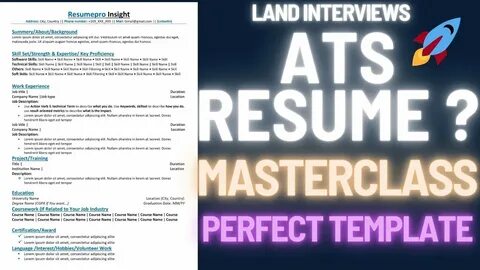
Starting Strong — The ATS‑Friendly Format That Works
Suggested Placeholder:
Image — Clean Simple Resume Layout
Caption: Example of an ATS‑friendly CV format with clear headings
Your CV’s layout must allow ATS to read it accurately.
Here’s the structure that works best:
- Contact Information
- Professional Summary
- Key Skills
- Work Experience
- Education
- Certifications / Awards
This layout places important text where ATS expects it.
What to Avoid
Avoid:
- Sidebars or columns
- Text wrapped around images
- Tables that split text into blocks
- Decorative fonts and icons
These visual elements can confuse ATS scanners, causing errors or deletions.
Table — ATS‑Friendly vs Non‑ATS Formats
| ATS‑Friendly Format | Not ATS‑Friendly |
| Simple headings | Graphic icons instead of text |
| Left‑to‑right, top‑to‑bottom order | Multi‑column format |
| Standard fonts (Arial, Calibri, Times New Roman) | Decorative or cursive fonts |
| .docx or searchable PDF | Image‑based PDF |
| Text placed directly in the body | Text inside tables or boxes |
This table highlights the most common differences between a CV ATS can read — and one it can’t.
Why Keywords Can Make or Break Your CV
Good CV writing is not about fancy language. It’s about matching the job description.
ATS compares your CV against the job post. If the right terms are missing, your CV may be filtered out.
Where to Find Your Keywords
The best insight is right in the job ad. Look for:
- Skills listed repeatedly
- Required tools (software, systems)
- Desired certifications
- Industry‑specific terms
How to Use Keywords Without Stuffing
Don’t sprinkle keywords randomly. Use them naturally in:
- Professional Summary
- Key Skills section
- Work Experience bullets
- Achievements
If a job ad asks for “project management,” use that exact phrase.
If it mentions “SQL database administration,” include that in your skills and experience.
Using exact phrasing improves your relevance score.
Professional Summary — Your First Chance to Impress
Your professional summary is your digital handshake. Make it count.
Here’s what a strong summary includes:
- Your title aligned with the job
- Years of experience
- Key achievements
- Relevant skills
Example
Experienced Project Manager with 7 years leading cross‑functional teams, improving delivery speed by 30%, and managing budgets over $1 million.
This summary:
- Matches job wording
- Shows impact with numbers
- Includes keywords ATS looks for
Avoid vague statements such as “Hard‑working individual seeking opportunities.” Those don’t help machines or humans.
How to Create a Powerful Skills Section
The skills section is one of the most important for ATS.
Instead of generic terms like “good communicator,” list precise, technical skills.
Here’s what ATS likes:
- Software names
- Tools (e.g., Excel, Salesforce)
- Industry procedures
- Languages
- Certifications
Skills to Include Based on Role
If the job requires technical skills, include:
- SQL / Python
- Project Management Software
- CRM tools
- Google Analytics
If the role is creative:
- Adobe Suite (Photoshop, Illustrator)
- Content Management Systems
- SEO tools
Use categories if needed, like:
Technical Skills: SQL, Python
Project Tools: JIRA, Trello
This approach keeps your skills clear and searchable.
Work Experience — Write for Humans and Machines
Work experience is where most CVs fail ATS.
Here’s how to make every line count.
Use Clear Job Titles
ATS looks for titles similar to the job posting. If your past title was unique, add a common equivalent.
Example:
Official Title: Customer Success Specialist
Modified for ATS: Customer Success Specialist (Client Relations Manager)
This helps ATS connect your role with the job’s expectations.
Use Action Verbs and Numbers
Recruiters want results. ATS likes quantifiable data.
Examples:
- Managed 12 client accounts, improving retention by 22%
- Reduced processing time by 40% using automation tools
Numbers make your achievements clear and searchable.
How to Tailor Your CV for Each Application
Sending the same CV to every job is a losing strategy.
ATS scores based on how well your CV matches the job.
Quick Tailoring Tips
- Open the job description
- Compare required skills with your CV
- Add missing terms
- Adjust your summary and keywords
Even small adjustments can increase your match score significantly.
A tailored CV shows ATS and humans that you are genuinely suited for the role.
Education and Additional Sections That Add Value
Include your education clearly:
- Degree name
- Institution name
- Graduation date
- Honors or awards (if relevant)
Add optional sections if they help:
- Certifications
- Volunteer work
- Publications
- Languages spoken
These offer more opportunities to place keywords.
Common ATS Errors You Must Avoid
Even small mistakes can cost you interviews.
Avoid:
- Headers and footers: ATS may skip text in these sections
- Graphics or icons: They make text unreadable
- Tables with hidden text: Machines can’t extract text in some tables
- Special characters: Some symbols break parsing
Proofread carefully and keep formatting minimal.
Readability Tips That Help Both ATS and Humans
Your CV must be easy for machines and humans to read.
Follow these rules:
- Use bullet lists
- Keep sentences short
- Use standard fonts
- Align text to the left
- Avoid paragraphs longer than 4 lines
This makes your CV scan‑friendly and readable on phones.
How Long Should Your CV Be?
There is no strict rule, but most ATS systems handle 1‑2 pages well.
Consider:
- Less experience = 1 page
- More experience = 2 pages
Whatever length you choose, make every line count.
The Final ATS‑Proof Checklist Before You Submit
Use this checklist before uploading your CV:
- Clear headings
- Relevant keywords
- Action verbs
- Numbers in achievements
- .docx or readable PDF
- No graphics or icons
- Proofread for spelling
A final review can make the difference between rejection and an interview invite.
Conclusion — Turn Your CV Into a Magnet for Interviews
Writing a CV that passes ATS and gets interviews is a blend of science and art.
It’s not about fancy designs. It’s about showing the right information clearly. It’s about matching the job description — not guessing it.
When your CV:
- Uses an ATS‑friendly format
- Includes real job keywords
- Highlights measurable results
- Reads well on phones and desktops
…it becomes far more powerful.
Your next interview could be one optimization away.
Start today.
Frequently Asked Questions
What is the best file format for ATS?
Most ATS systems read .docx reliably. Searchable PDFs can work, but always ensure text is not in images.
Can a graphic resume work?
Graphics often break ATS parsing. Keep visual design minimal so software can read your text.
How often should I tailor my CV?
Tailor for every major application. Matching keywords increases ATS match scores.
Do keywords need to be exact?
Yes. Matching phrases exactly as they appear in a job description improves scoring.
What if I lack keywords the job wants?
Highlight transferable skills, certifications, and related achievements to bridge gaps.
Leave a Reply