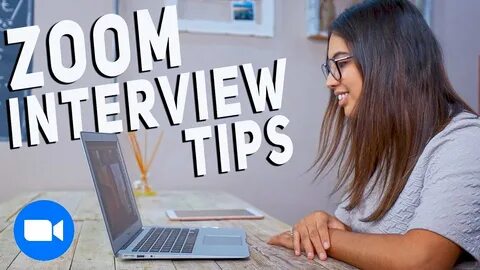
Virtual interviews have changed the job search game completely. What used to be a handshake and a firm smile is now a camera, a screen, and a few crucial minutes to impress.
It sounds simple, but here’s the reality. Standing out in a virtual interview is harder than it looks. You are competing with candidates from different cities, countries, and time zones.
The good news is this. With the right preparation and strategy, you can stand out and get hired.
This guide walks you through practical, proven tips to help you succeed in virtual interviews. From setup to body language, every detail matters.
Why Virtual Interviews Are Here to Stay
Remote work has reshaped hiring practices. Companies now prefer virtual interviews because they are faster and more cost-effective.
Key Reasons Employers Use Virtual Interviews
- Saves time and travel costs
- Allows access to global talent
- Speeds up hiring decisions
According to research on virtual interviews by Harvard Business Review, candidates who prepare specifically for virtual settings perform significantly better.
Understanding this shift gives you an advantage.
The First Impression Happens Before You Speak
In a virtual interview, your setup speaks before you do.
What Interviewers Notice Immediately
- Your background
- Lighting quality
- Camera angle
- Sound clarity
How to Get It Right
- Choose a clean, distraction-free background
- Use natural lighting or a ring light
- Position your camera at eye level
- Test your microphone beforehand
A professional setup builds trust instantly.
Setting Up Your Perfect Interview Space
Your environment reflects your professionalism.
Ideal Setup Checklist
- Quiet room with minimal noise
- Neutral background
- Stable internet connection
- Fully charged device
Lighting Tips
- Face a window if possible
- Avoid strong backlight
- Use soft lighting for clarity
Visual Example of a Good Setup
Imagine a clean desk, soft lighting, and a simple background. That’s all you need.
Dressing for Success Even at Home
Many candidates underestimate this.
Why It Matters
Dressing well boosts confidence and shows respect for the interviewer.
What to Wear
- Business casual or formal attire
- Solid colors that look good on camera
- Avoid distracting patterns
Common Mistake
Wearing formal on top and casual below. It can backfire if you need to stand.
Dress fully professional.
Mastering Your Body Language on Camera
Your body language communicates more than your words.
Key Tips
- Sit upright
- Maintain eye contact with the camera
- Smile naturally
- Use controlled hand gestures
Avoid
- Looking at your screen instead of the camera
- Slouching
- Fidgeting
Eye contact through the camera builds connection.
How to Sound Confident and Clear
Audio quality matters as much as visuals.
Tips for Clear Communication
- Speak slowly and clearly
- Pause between sentences
- Use a confident tone
Practice Technique
Record yourself answering questions. Listen for clarity and pacing.
Preparing for Common Interview Questions
Preparation separates average candidates from standout ones.
Common Questions
- Tell me about yourself
- Why do you want this role
- What are your strengths and weaknesses
How to Answer
Use the STAR method:
- Situation
- Task
- Action
- Result
This keeps answers structured and impactful.
 Researching the Company Effectively
Knowledge shows interest.
What to Research
- Company mission
- Recent achievements
- Industry position
Where to Look
- Company website
- News updates
According to career preparation insights from Indeed, candidates who research companies are more likely to succeed.
Comparing In-Person vs Virtual Interviews
| Factor | In-Person Interview | Virtual Interview |
|---|---|---|
| First impression | Physical presence | Visual setup |
| Communication | Full body language | Limited to camera |
| Environment control | Employer-controlled | Candidate-controlled |
| Technical issues | Rare | Common risk |
Understanding these differences helps you adapt better.
Handling Technical Issues Like a Pro
Technology can fail. What matters is how you respond.
Common Issues
- Internet drops
- Audio problems
- Video lag
How to Prepare
- Test your setup beforehand
- Have a backup device
- Keep your phone nearby
What to Do If It Happens
- Stay calm
- Inform the interviewer
- Reconnect quickly
Professionalism matters more than perfection.
How to Build Rapport Through a Screen
Connection is still possible, even virtually.
Simple Techniques
- Use the interviewer’s name
- Smile and nod
- Show enthusiasm
Conversation Tips
- Listen actively
- Avoid interrupting
- Respond thoughtfully
Building rapport increases your chances.
Using Notes Without Looking Unprepared
Notes can help, but must be used wisely.
Smart Use of Notes
- Keep bullet points only
- Place them near your screen
- Avoid reading directly
What to Avoid
- Looking down constantly
- Reading scripted answers
Balance is key.
Asking Smart Questions at the End
This is your chance to stand out.
Good Questions to Ask
- What does success look like in this role
- What are the team’s biggest challenges
- How does the company support growth
Why It Matters
It shows curiosity and engagement.
Managing Nervousness and Anxiety
Feeling nervous is normal.
How to Stay Calm
- Practice beforehand
- Take deep breaths
- Focus on the conversation
Mindset Shift
Think of it as a discussion, not an interrogation.
Practicing Like a Professional
Practice builds confidence.
Effective Practice Methods
- Mock interviews
- Recording yourself
- Practicing with friends
Focus Areas
- Clarity
- Confidence
- Timing
The more you practice, the better you perform.
Common Mistakes That Ruin Virtual Interviews
Avoid these costly errors.
Top Mistakes
- Poor lighting
- Background noise
- Lack of preparation
- Multitasking during the interview
These small issues can cost you the job.
How to Follow Up After the Interview
Your work is not done after the call ends.
Follow-Up Tips
- Send a thank-you email
- Mention key discussion points
- Reaffirm your interest
Timing
Send it within 24 hours.
This leaves a strong impression.
The Role of Confidence in Getting Hired
Confidence is often the deciding factor.
How to Build Confidence
- Prepare thoroughly
- Practice regularly
- Focus on your strengths
Confidence makes your answers more convincing.
Real-Life Scenario: Standing Out in a Competitive Interview
Imagine two candidates.
Candidate A
- Poor lighting
- Weak answers
- No preparation
Candidate B
- Clear setup
- Structured answers
- Strong confidence
The second candidate stands out immediately.
Preparation makes the difference.
Final Thoughts
Virtual interviews are not easier than traditional ones. They are just different.
To succeed, you must:
- Prepare thoroughly
- Present yourself professionally
- Communicate clearly
Small details create big impact.
When done right, a virtual interview becomes your opportunity to shine.
Frequently Asked Questions
How do I prepare for a virtual interview
Set up your space, practice answers, and test your technology before the interview.
What should I wear for a Zoom interview
Wear professional attire with simple colors that look good on camera.
How do I maintain eye contact on video
Look directly at the camera instead of the screen.
What if my internet fails during the interview
Stay calm, reconnect quickly, and inform the interviewer.
How long should my answers be
Keep answers concise, clear, and structured using methods like STAR.
Leave a Reply